
Smart Animate Debugger
Find why Smart Animate dissolves, and preview safe repairs.
Smart Animate Debugger checks how layers match between two Figma prototype screens, so you can see why an element dissolves, stays unchanged or fails to animate. It audits the transition against Figma's documented layer-matching rules and points to the probable cause: name, hierarchy or property. Diagnosis is free with no audit limit; Pro adds page-wide preflight and a Repair Lab.
Free on Figma Community; Pro is an $8 one-time purchase inside the plugin.
What it does
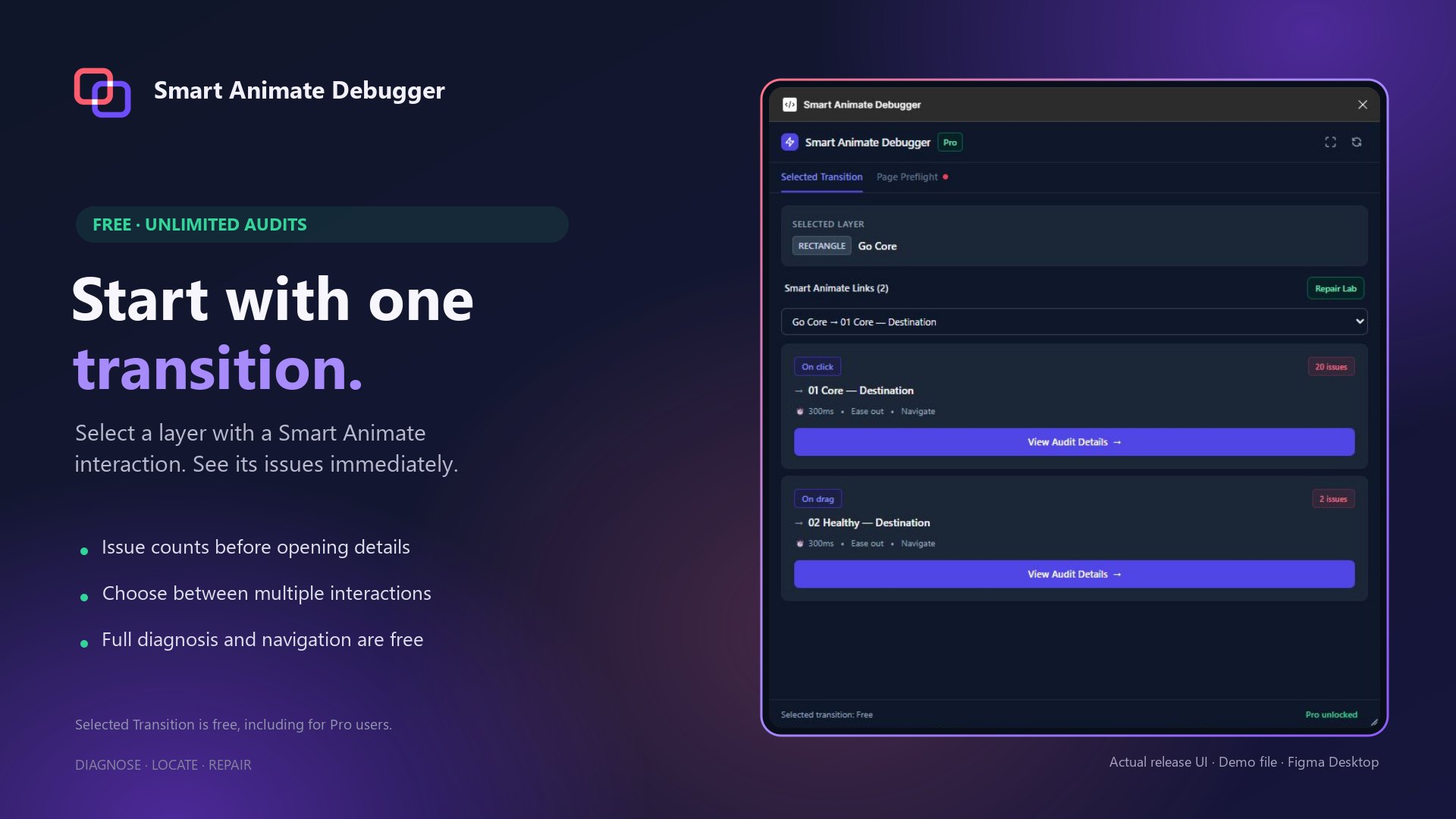
- Free, no audit limit: diagnose the selected transition, with issue counts before you open the details
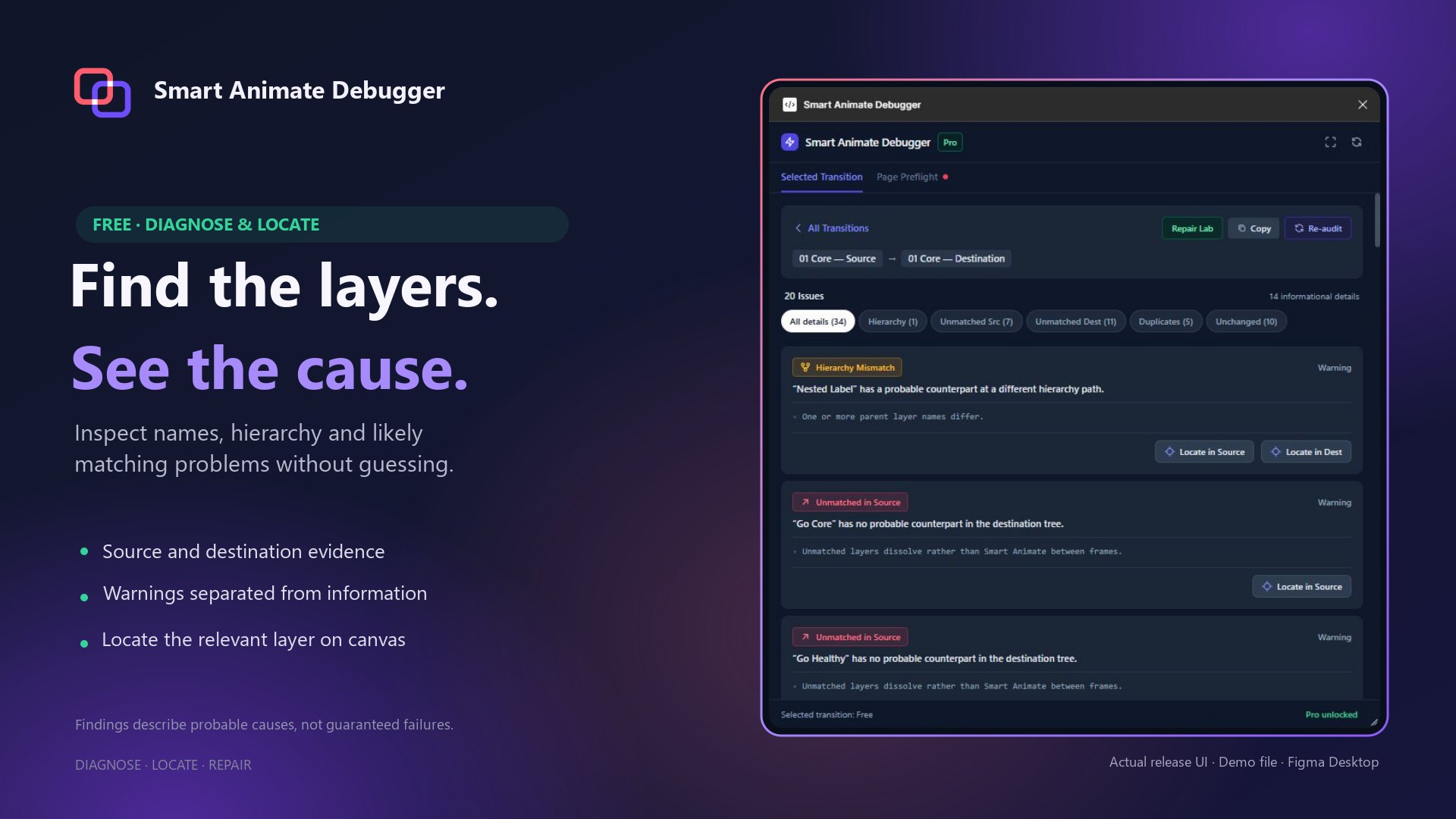
- Free: layer-name and hierarchy evidence with the likely cause, plus Locate buttons that select the layers on the canvas
- Free: pick between several interactions on the same layer
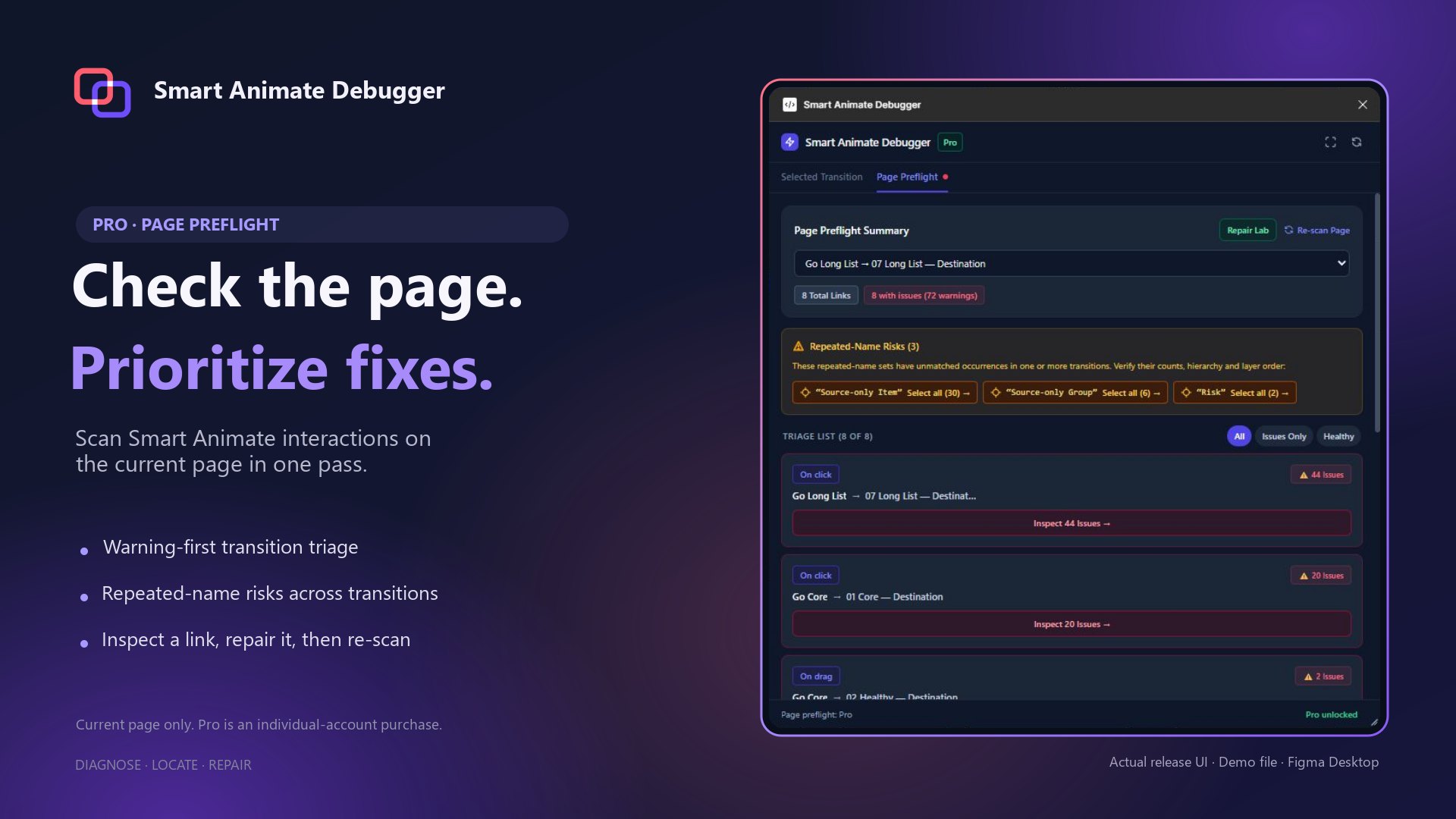
- Pro: Page Preflight scans the current page, warnings first, flags repeated-name risks, All / Issues / Healthy filters
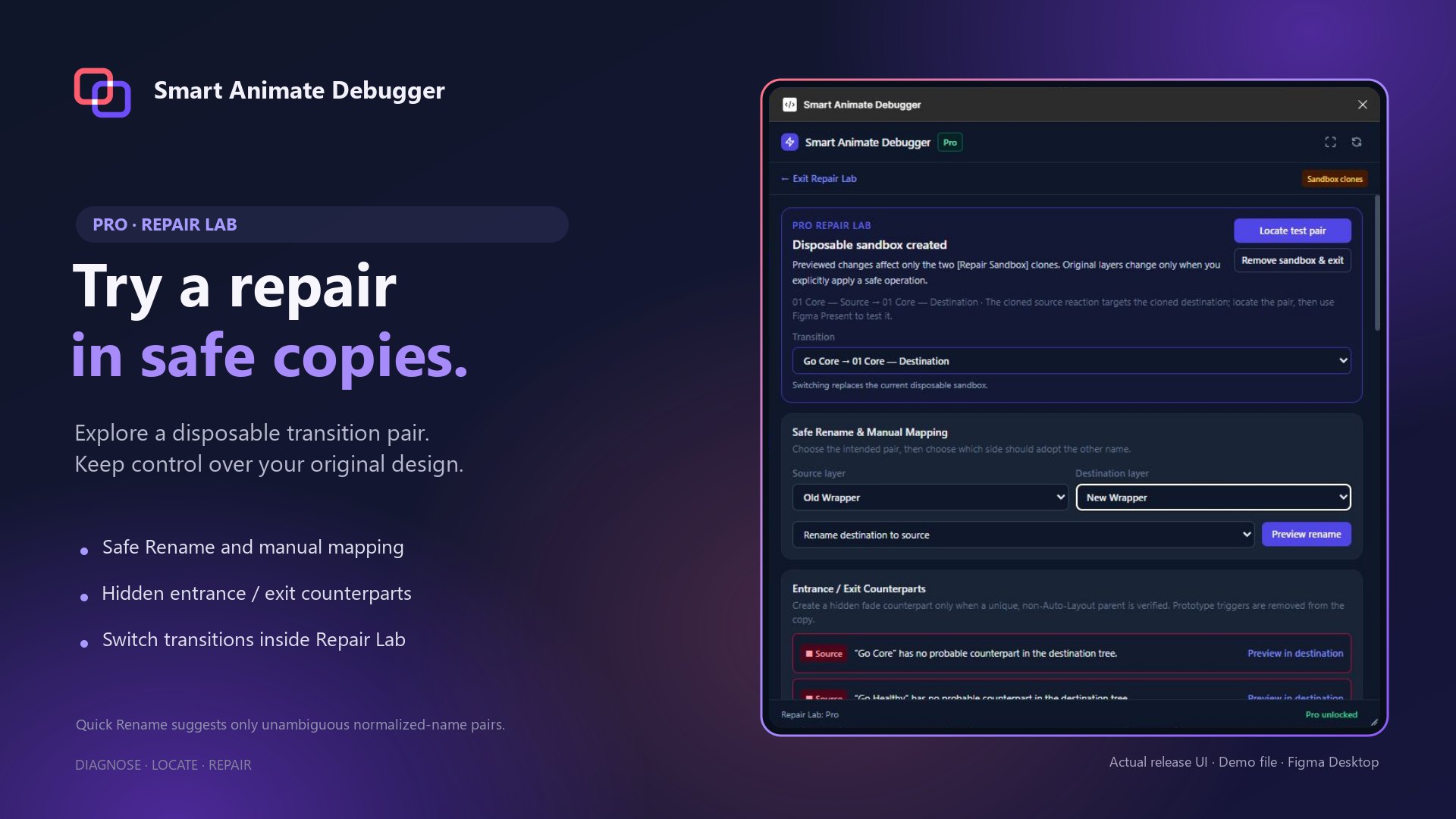
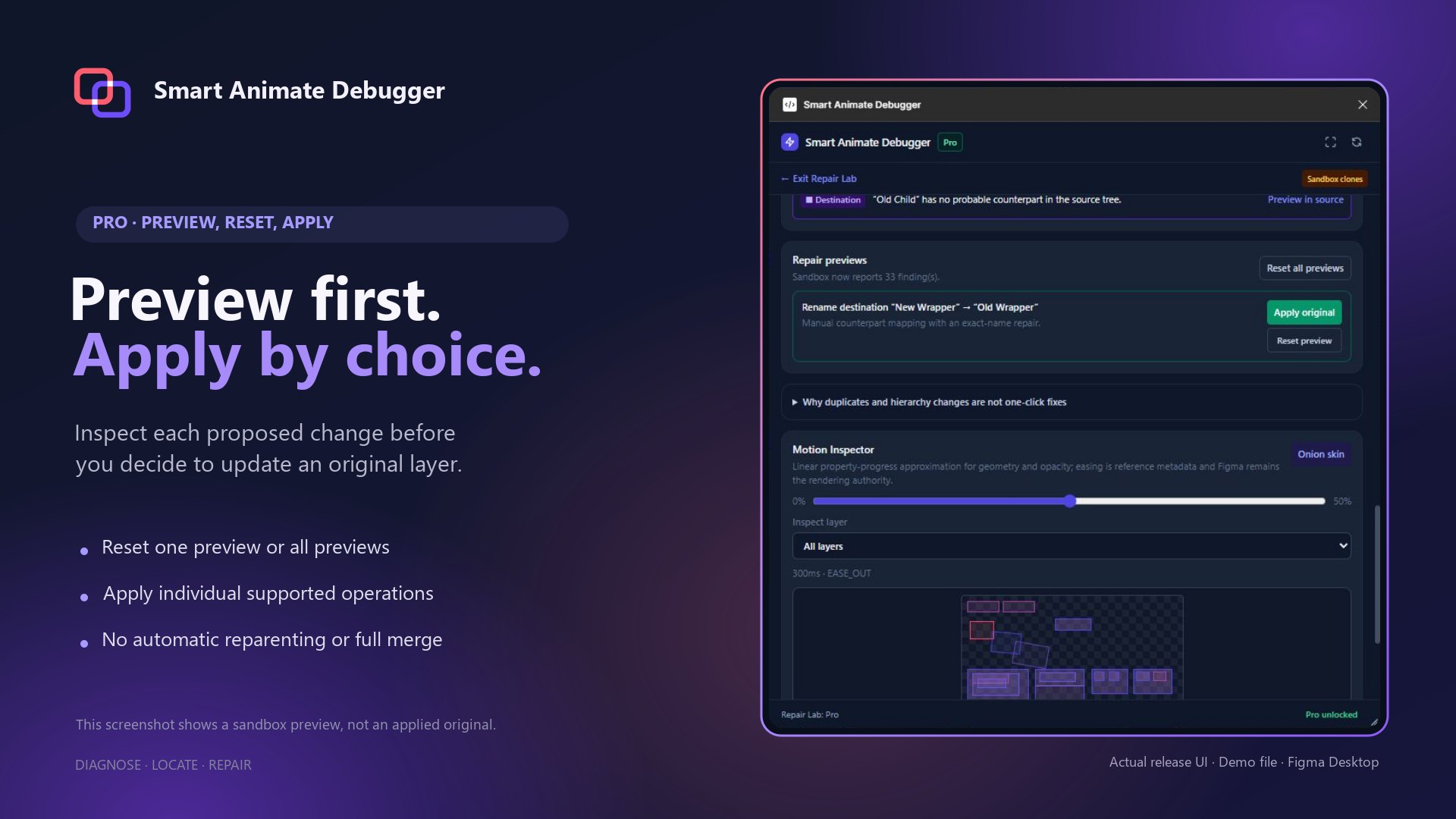
- Pro: Repair Lab works on disposable sandbox copies: safe rename, manual layer mapping, hidden fade-in / fade-out counterparts
- Pro: preview, reset one or reset all, and apply each change yourself; Figma Undo works
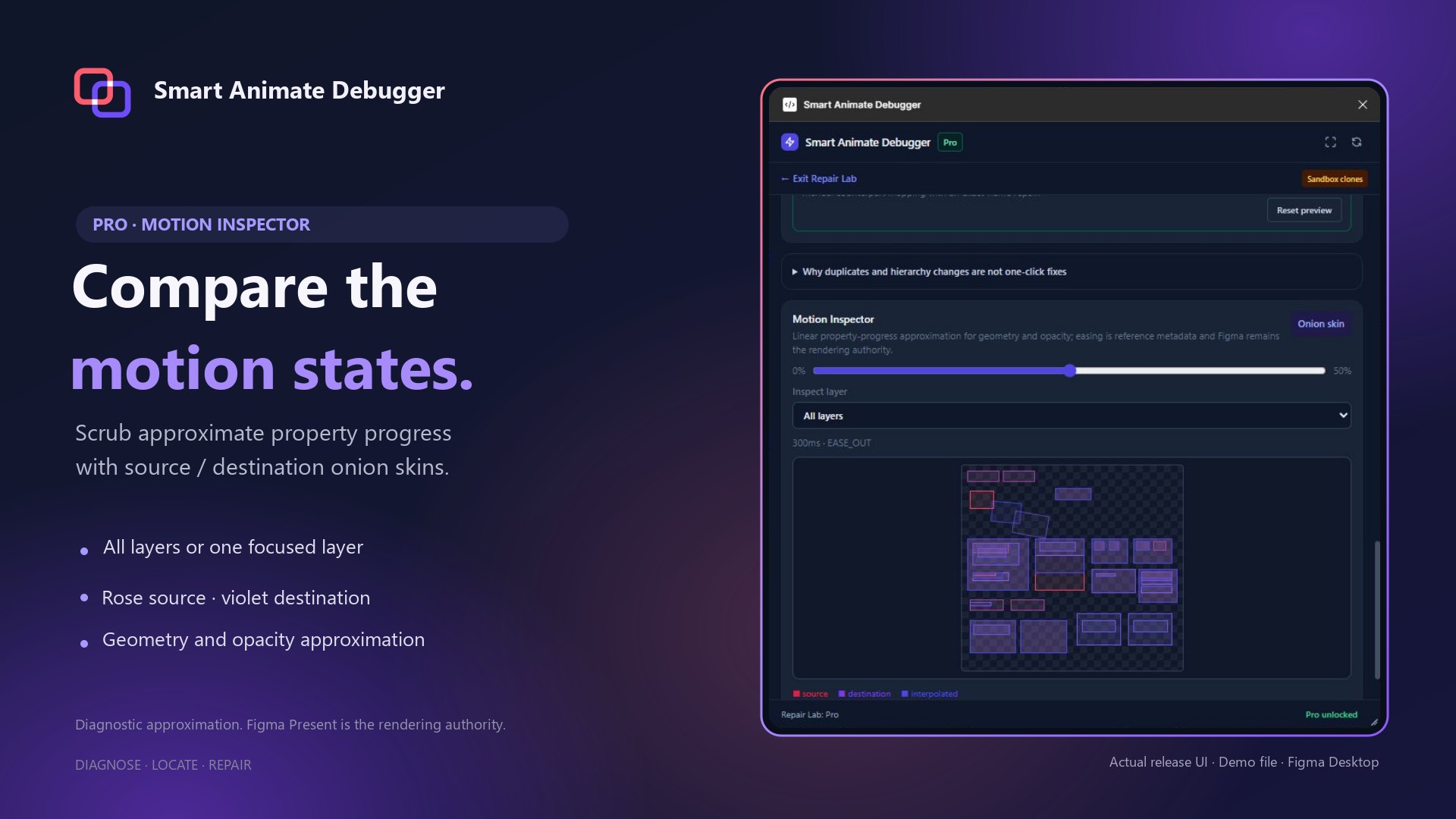
- Pro: approximate Motion Inspector with onion skins, and a motion handoff you can copy
- Pro is an $8 USD one-time purchase through Figma, tied to your individual Figma account; not a subscription
Screenshots
Real captures. Select an image to open it at full size.
Requirements and limits
Requirements
- Figma design editor (not FigJam); tested in Figma Desktop
- Pro needs a purchase on an individual Figma account (no team licence)
- No account, server or internet connection beyond Figma itself
What it doesn't do
- Findings are probable causes, not guaranteed failures; Figma Present is the rendering authority
- The Motion Inspector is an approximation of the animation
- Page Preflight covers the current page only; transitions across Sections are not repaired
- Renames inside instances or component definitions are refused; hidden counterparts are refused under Auto Layout, instances and components
- Repair Lab never reparents layers automatically and never merges a whole sandbox back into the original
Support and privacy
Get help
Write to support@increstudios.com with your editor or app version and the steps that show the problem. More on support.
Privacy
Smart Animate Debugger runs locally in Figma with network access turned off: no server, account, analytics or file upload. Audit results stay in memory. Repair Lab writes labelled sandbox copies into the same file, cleans them up when you exit and offers to remove any left behind; your original design changes only when you apply a change. Copy buttons write to the clipboard only when clicked, and the plugin never reads it. Privacy policy.